Sudoku-solving-visualizer
Live Site
Table of Contents
About
Interface Theme
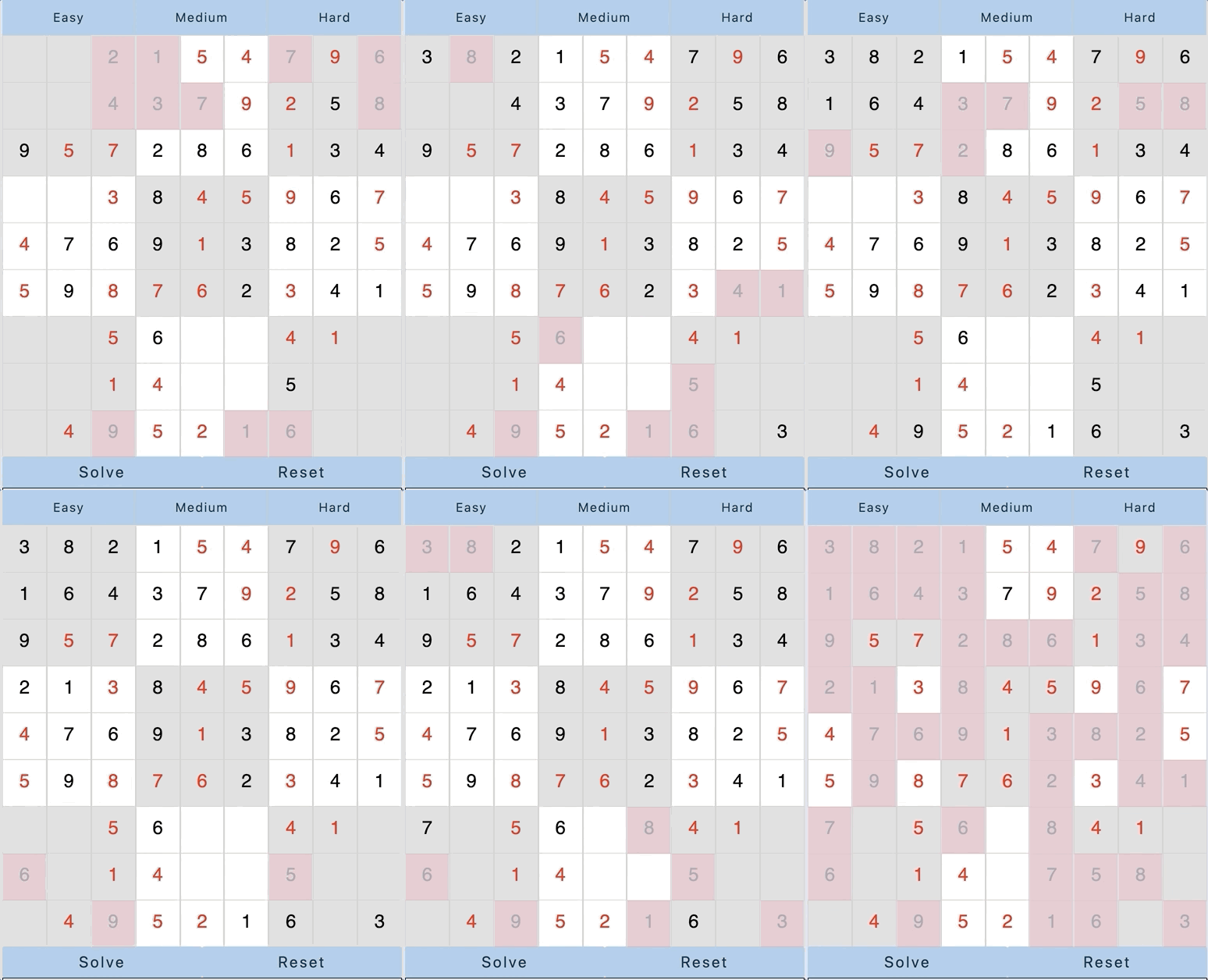
This site tries to keep the style simple and straight to the point. What is important here is the visualizer, and the algorithm’s themselves, so I decided to keep it to almost the same feeling a newspaper would give you. Making it almost a flashback to how Sudokus were orginally accessed.
What are Sudoku’s?
Sudokus are apart of a group known to the Exact Cover problem. It stems from NP vs P, and Exact Cover problems are considered to be NP-Complete. This is quiet important and valuable because in computer science, any problem considered to be NP-Complete means its solution is also a solution for any, and all NP problems. This makes the nature of these types of problems quiet difficult and can usually be seen solved by heuristic brute force methods which we will get into further down.
A Sudoku is a 9x9 puzzle, where every 3x3 grid is a collection of numbers 1 through 9. Now every row, and column are also 1 through 9, and may not repeat any indivudal number. This makes for an interesting puzzle when you start to take away certain blocks from the grid. The point of the puzzle is to find the correct numbers for every position in the grid.
Algorithms
- Backtracing
- Knuths Algorithm X
Backtracing
Backtracing is a recursive brute force method in order to check all possibilities to a problem. This method in particuler checks every block one by one horizontally, and will determine if the possible numbers for that position have been exhausted or not. If it has, it will go back up the stack, and try the next number in the previous call stack. This is repeated until the solution for the board is found, if there is one. Below in the code snippet you can see we have three main functions, solver, assignBlock, and getOptions. what getOptions does is assign a position its 3x3 block, and tell give it an array of possible numbers. It is then put into the solve method, and the first the number in that array is chosen then the solver will go to the nxt position. Once a position is exhausted of all its numbers, the solver function will go backwards to a previous position and chose the next number in the array, and so on and so forth.
class Backtrace {
    constructor(grid) {
        this.board = grid
        this.orderedPos = [];
        this.orderedVal = [];
    }

    solver() {
        let row = this.board.length - 1;
        let col = this.board.length - 1;

        for (let i = 0; i <= row; i++) {
            for (let j = 0; j <= col; j++) {
                if (this.board[i][j].val !== 0) {
                    continue;
                }

                let options = this.getOptions(i, j, this.board)
                if (options.length === 0) {
                    return null;
                }

                for (let k = 0; k < options.length; k++) {
                    this.board[i][j].val = options[k];
                    this.orderedPos.push([i, j]);
                    this.orderedVal.push(options[k]);

                    if (this.solver()) {
                        return this.board;
                    }
                    this.board[i][j].val = 0;
                    this.orderedPos.push([i, j]);
                    this.orderedVal.push(0);
                }
                return null;
            }
        }
        return this.board;
    }

    assignBlock(row, col, board) {
        let block = []
        let rowStart = 3 * Math.floor(row / 3)
        let colStart = 3 * Math.floor(col / 3)

        for (let i = 0; i < 2; i++) {
            for (let j = 0; j < 2; j++) {
                let curVal = board[rowStart + i][colStart + j]
                block.push(curVal)
            }
        }

        return block
    }

    getOptions(row, col, board) {
        let options = [1, 2, 3, 4, 5, 6, 7, 8, 9]

        //rows
        let mappedRow = board[row].map((el) => el.val)
        options = options.filter((obj) => {
            return mappedRow.indexOf(obj) === -1
        })

        //colunmns
        let columns = []
        for (let i = 0; i < board.length; i++) {
            columns.push(board[i][col]);
        }
        let mappedCols = columns.map((el) => el.val)
        options = options.filter((obj) => {
            return mappedCols.indexOf(obj) === -1
        });

        // square
        let assigned = this.assignBlock(row, col, board);
        let mappedSquare = assigned.map((el) => el.val)
        options = options.filter((obj) => {
            return mappedSquare.indexOf(obj) === -1
        });

        return options;
    }
}
Knuths Algorithm X
Knuths Algorithm X, is a incredibly interesting approach to solving a Sudoku, and is considered an Optimized Brute Force method, which can also be assigned a heuristic method on top of it to make it more efficient. Knuths algorithm demonstrates the utility of a data structure called Dancing Links, which is a technique used to delete nodes from a circulur doubly linked list. The basic idea of this algorithm is you create Matrix A of all 0’s and 1’s, and find all the subset of rows, where 1 only appears in the column once. We do this by choosing which rows to examine nondeterministic, but the columns are deterministic. Dealing with this kind of Matrix is also called a Sparse Matrix because it is comprised of mostly 0’s which with very large data sets can cause problems with memory, and time complexity. But in the case of a Sudoku its fine.
This algorithm is good for two purpose. 1. Find how many solutions there are to a Sudoku Puzzle. 2. Find the most optimal Solution. Within my visualizer I only show the knuths algorithm solving the sudoku, and intend on using the algorithm to make my puzzles more accurate so that there arent more than one solution to each puzzle.
Here is a snippet of the code used to set the foundation of what will be received by the algorithm. To see where this code will lead to check out: src/js/sudoku/knuths.js
class AlgoX {
    constructor(puzzle) {
        this.puzzle = puzzle
        this.queue = [];
        this.orderedPos = [];
        this.orderedVal = [];

        this.onSearchStep = this.onSearchStep.bind(this)
        this.onSolutionFound = this.onSolutionFound.bind(this)

        this.solutionGenerator = solve(this.puzzle, this.onSearchStep, this.onSolutionFound);
        this.solutionGenerator.next();
        this.parse(this.puzzle, this.queue)
    }

    onSearchStep(internalRows, rowIndices) {
        const partialSolution = rowIndicesToSolution(this.puzzle, internalRows, rowIndices);
        this.queue.push(partialSolution);
    }

    onSolutionFound(internalRows, rowIndicies) {
        const solution = rowIndicesToSolution(this.puzzle, internalRows, rowIndicies);
        this.queue.push(solution);
    }

    // This is not part of the algorithm but the way to send the information in
    // the proper format to the visualizer
    parse(puzzle, queue) {
        let occupied = [];
        for (let i = 0; i < puzzle.length; i++) {
            for (let j = 0; j < puzzle[i].length; j++) {
                if (puzzle[i][j] !== ' ') {
                    occupied.push(`[${i},${j}]`)
                }
            }
        }
        for (let i = 0; i < queue.length; i++) {
            for (let j = 0; j < queue[i].length; j++) {
                for (let p = 0; p < queue[i][j].length; p++) {
                    let val = queue[i][j][p];
                    if (!occupied.includes(`[${j},${p}]`) && val !== ' ') {
                        this.orderedPos.push([j, p])
                        this.orderedVal.push(val)
                    }
                }
            }
        }
    }
}
Code Snippets
The Visualizer
The below code, is what was used to translate how the algorithm works on the browser. By manipulating the DOM through a loopstep I was able to mimic a setInterval recursively.
 class Visualize {
    constructor(algorithm, board, speed = 100) {
        this.algorithm = algorithm;
        this.board = board;
        this.orderedTraversal;
        this.orderedPositions;
        this.reset = false;
        this.speed = speed;
        this.count = 0;
        this.time = 0;
    }

    // This is where we choose which algorithm is going to be solved and initialized
    // The structure of the solution received from each algorithm needs to be the same
    initializeAlgo() {
        if (this.algorithm === "Backtrace") {
            let solved = new Backtrace(_.cloneDeep(this.board.puzzle));
            solved.solver();
            this.orderedPositions =  solved.orderedPos;
            this.orderedTraversal = solved.orderedVal;
        } else if (this.algorithm === "AlgoX") {
            let puzzle = sudokuUtil.algoPuzzleParser(this.board.puzzle);
            let solved = new AlgoX(puzzle);
            this.orderedPositions = solved.orderedPos;
            this.orderedTraversal = solved.orderedVal;
        }
    }

    // This is where we visualize the algorithm on the board everytime solved
    // is clicked
    visualizeAlgo() {

        let i = 0;

        // Enter a loopstep recurisve call, that will act as a setInterval
        const loopStep = () => {

            // Base case to allow us to leave the function for a reset,
            // or exit the recursive call when we reach the last entry in the array
            if (i === this.orderedTraversal.length) {
                return;
            } else if (this.reset === true) {
                this.reset = false;
                return;
            }

            // These are the positions and values that are going to be placed
            // on the board. They are formatted specifically for this in the
            // algorithms
            const nextPos = this.orderedPositions[i].parsePos();
            const nextVal = this.orderedTraversal[i];

            const [cur_x, cur_y] = this.orderedPositions[i];

            setTimeout(() => {
                const tile = document.getElementById(nextPos);
                const timer = document.getElementById('time');
                const counter = document.getElementById('counter');

                // This allows us to change the counter, timer, and inner text
                // of each element on the board
                counter.innerText = `Iterations: ${this.count}`;
                timer.innerText = `Time: ${sudokuUtil.timeConversion(this.time)}`;
                if (nextVal === 0) {
                    tile.innerText = '';
                } else {
                    tile.innerText = `${nextVal}`;
                }

                // Add the cool styling so that each element looks like its
                // apart of a proper visualizer
                tile.classList.add('o-red')
                setTimeout(() => {
                    tile.classList.remove('o-red');
                }, 500)

                // Set the tile value to its proper value
                this.board.puzzle[cur_x][cur_y].val = nextVal;
                this.count += 1;
                this.time += this.speed;
                loopStep();
                i++
            }, this.speed)
        }
        loopStep();
    };

    // This is used to abort out of the recursive call in order to reset the board
    abort() {
        this.reset = true;
    };
}